
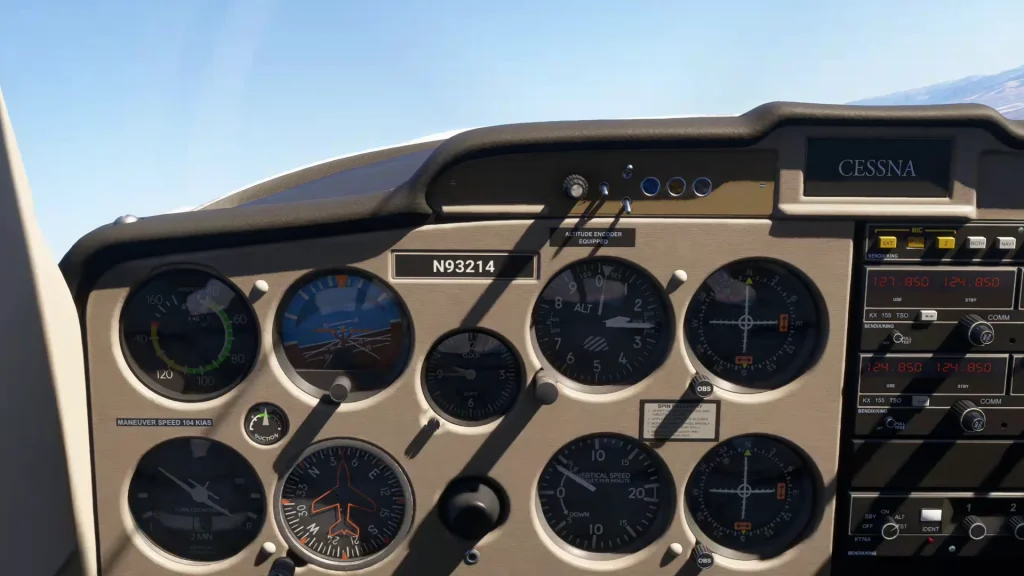

The maneuvers and standards described here reflect the FAA Commercial Pilot Airman Certification Standards as the time of the lesson. Confirm the current standards and the limitations for your own aircraft before you fly.
Inside this report
- Eights on pylons and the pivotal altitude
- Breaking the lazy 8 into pitch and bank
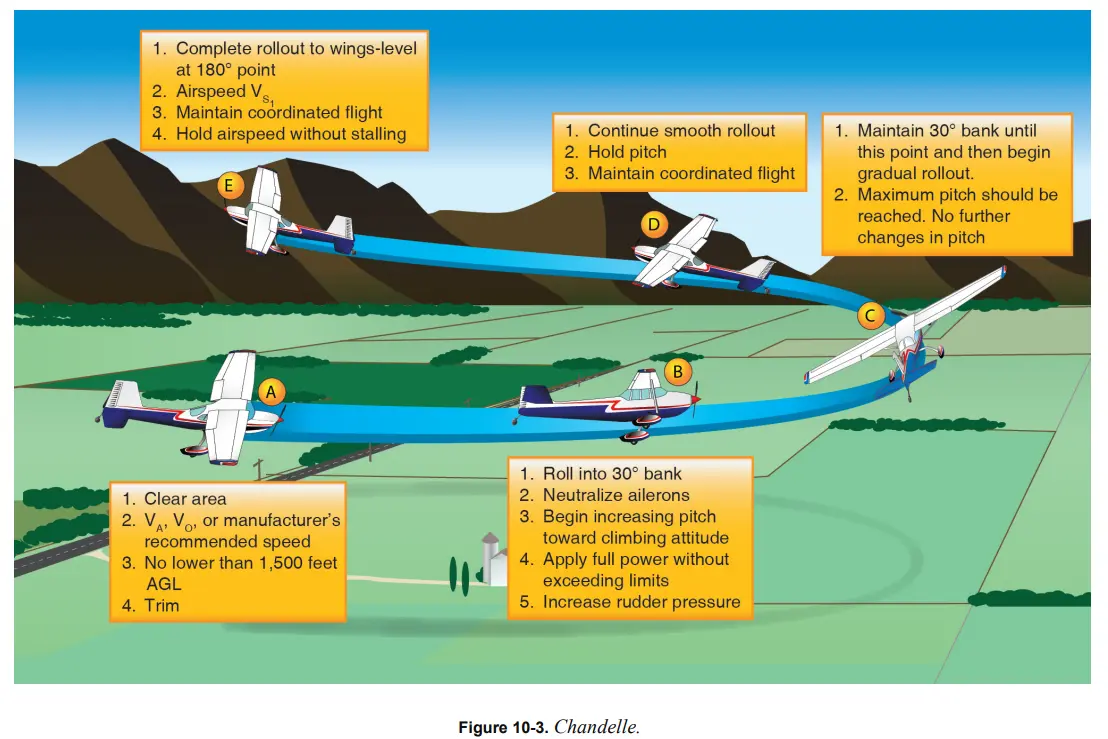
- Chandelle practice
- A first look at engine-out handling in a twin
Four demonstration clips with session audio are included in the full report. A silent pylons preview is available below.
A Head Start on Commercial Maneuvers
Daniel is working toward his commercial pilot certificate, aiming to become a CFI after that. He did his instrument training in a Cessna 172 with Garmin G5s. He plans to do the commercial and the CFI in a Cessna 152, mostly because it is cheaper and easy to handle.
He has already finished the aeronautical experience the commercial requires, including the long solo cross-country. What remains is largely practicing for the flight maneuvers and the oral. A multi-engine add-on is somewhere on his wish list as well.
For reference: FAA commercial pilot aeronautical experience requirements.
The session had two goals. First, get ahead on some of the commercial single-engine maneuvers in the simulator, where Daniel could repeat them at no cost before flying them in the airplane. Second, a first look at engine-out handling in a twin engine aircraft.
Even if a commercial certificate isn’t on your radar, there’s plenty here for any simmer. These are precision maneuvers, and flying one well is its own reward. The habits they build (smooth control, energy management, anticipating what the airplane will do next) can improve the rest of your sim flying.
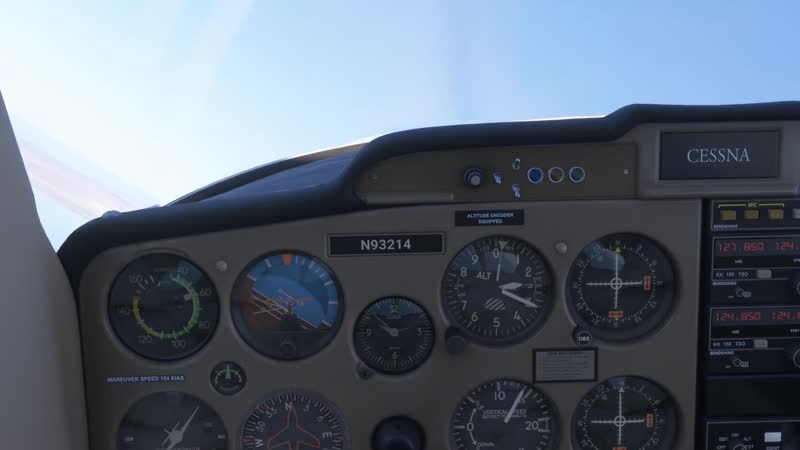
His instructor for the session was Nick Marcantonio (CFI, CFII, MEI). Nick has been an FAA flight instructor since 2015, holds a SAFE Master CFI accreditation, and flies professionally as an airline captain. The single-engine work was flown in a Cessna 152 in Microsoft Flight Simulator 2024, with a twin loaded later for the engine-out discussion.
Which Maneuvers Are Worth Simulator Time
Four of the maneuvers on the commercial single-engine checkride came up: the chandelle, the lazy 8, eights on pylons, and the power-off 180. Nick walked through them in the order of how much the simulator helps.
The power-off 180 he leaves out of his sim practice. The core of that maneuver is judging the aim point and feeling the airplane through a short-field landing. On the checkride, your actual touchpoint point has to be “within 200 feet beyond or on the specified point”—which is a pretty tight tolerance. That sight picture and that feel are best learned in the real airplane. In Nick’s experience, the simulator time pays off better on the other three.
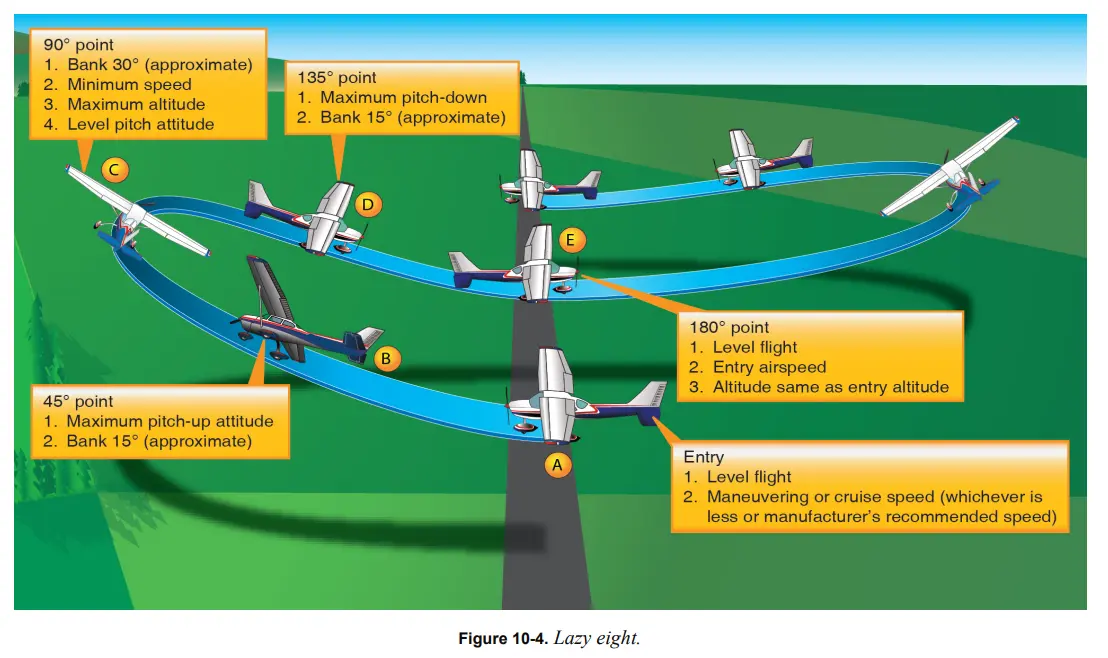
Eights on pylons are the second hardest to practice in the sim. It is worth doing to get familiar with the idea, but he would not pour hours into it. The lazy 8 is the one where the simulator earns its keep. And the chandelle is the easiest of the four, in his view easier than most of the private maneuvers.
At their core these are energy-management maneuvers. Each asks you to trade airspeed for altitude (and vice versa) as smoothly as you can.
Eights on Pylons and the Pivotal Altitude
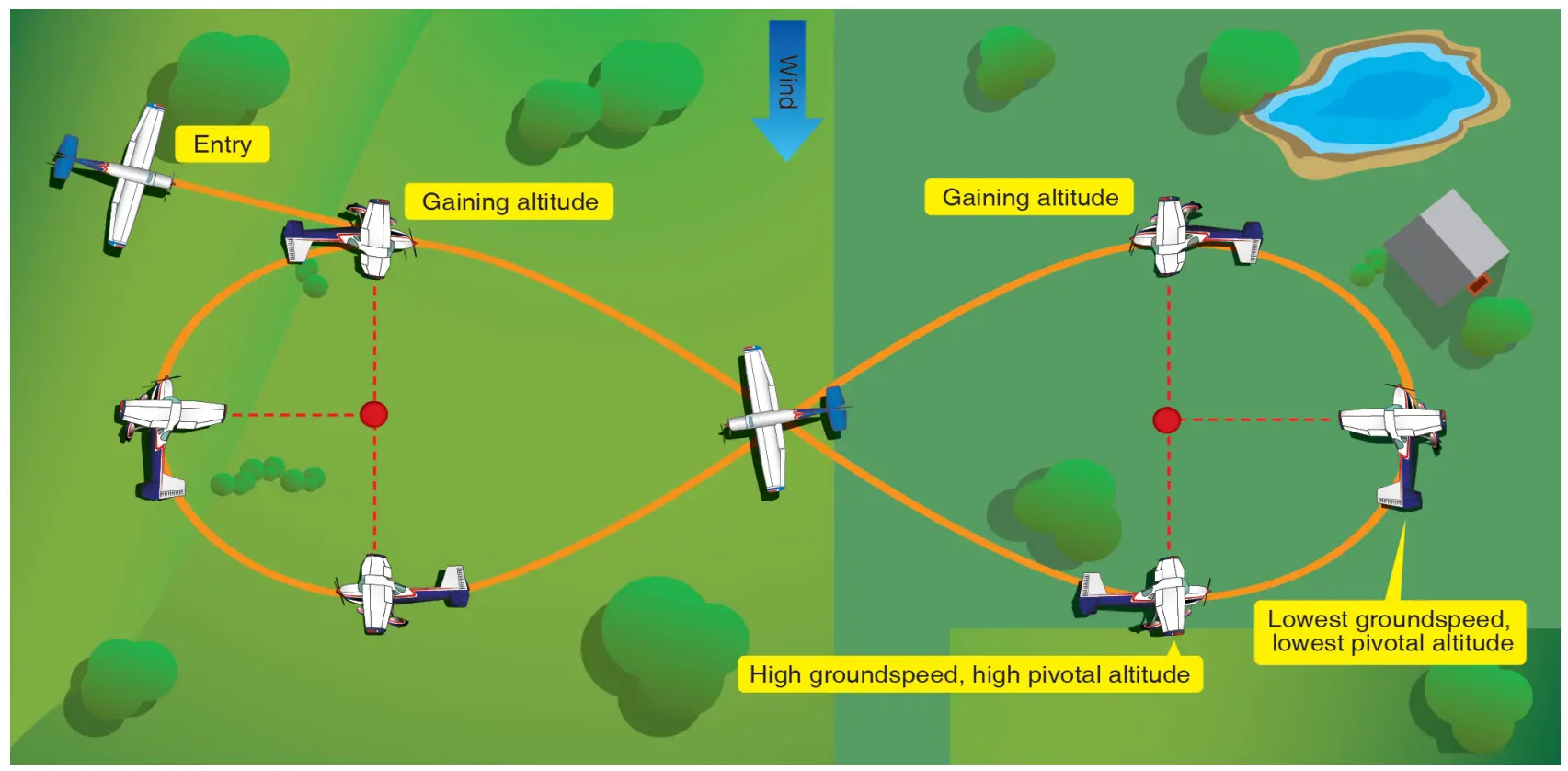
Eights on pylons is a ground-reference maneuver. The pylons are visual references on the ground. You fly a figure-eight around two of them while a line off the wingtip stays pinned to the pylon. It looks like turns around a point (flying a circle around a landmark while keeping a constant distance from it), but it is built on a different idea. Watch a turns-around-a-point explanation if the maneuver is new to you.
In turns around a point you vary your angle of bank to hold a constant radius. In eights on pylons you set an angle of bank and leave it. You pick a bank where, when you look straight out the side window, your line of sight points right at the pylon. From there, you mostly manage your altitude to keep that line on the pylon.
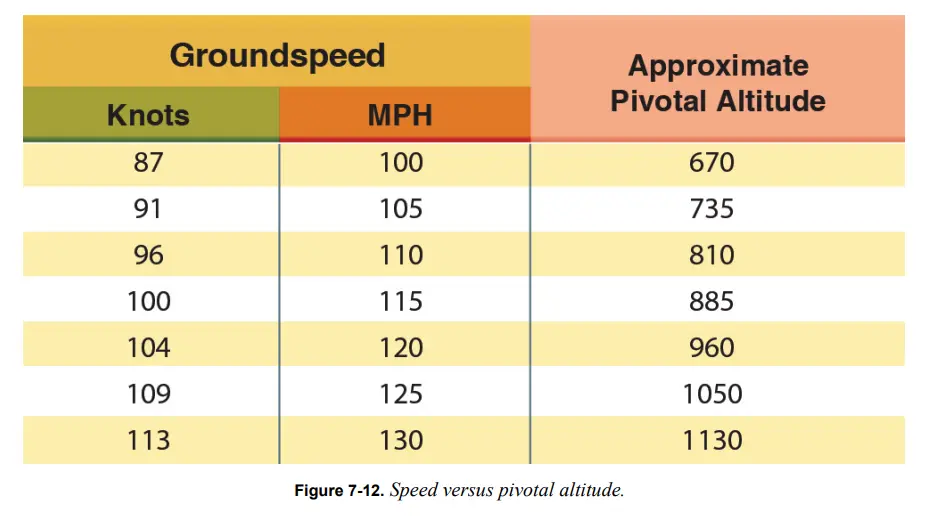
The reason it works is called pivotal altitude. At the correct “pivotal altitude” for your ground speed, a line straight out along the wing stays pointed exactly at the pylon. If you climb above that altitude, the same sightline reaches out beyond the pylon. If you drop below it, the line falls short.
In a Cessna 152 at roughly 90 to 100 knots, the pivotal altitude lands around 800 to 900 feet above the ground. It changes with your ground speed (e.g., winds will affect it).
Because you keep power roughly constant through the maneuver, a small pitch change is what keeps the line on the pylon. Nick demonstrated this in the sim by setting up a circle around a landmark and letting Daniel watch the pylon drift. When the pylon creeps forward of the wing, you ease the nose down. When it slides aft, you raise the nose.
Watch the pylons demonstration
A silent screen recording of the pylons demonstration. The original clip with session audio remains in the full report.
Videos in the full report
 🔒 Included with FSC Pro · 3:20 With session audio | 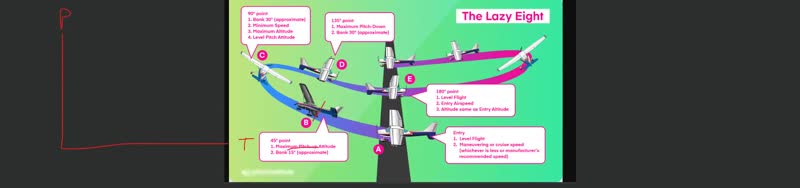 🔒 Included with FSC Pro · 2:40 With session audio |
 🔒 Included with FSC Pro · 2:22 With session audio | 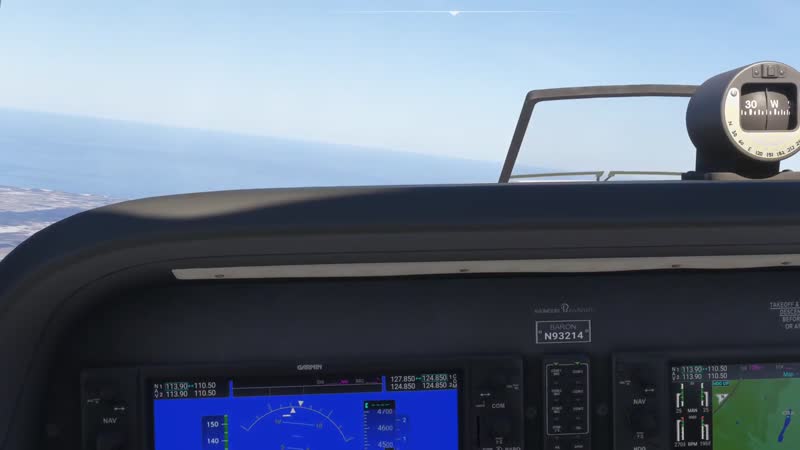 🔒 Included with FSC Pro · 1:05 With session audio |
The full report continues in FSC Pro
Members get every session report — real lessons from real 1:1 coaching sessions — plus the full FSC Pro library.
Already a member? Continue reading in the portal →
Based on a real Flight Sim Coach coaching session, used with the client's consent. The client's name has been changed.


