
How to Fly the Cessna 172
Learn the real-world procedures and checklists to fly the Cessna 172 in MSFS.

Welcome to our introductory course on flying the Cessna 172 Skyhawk.
If you want to use real-world procedures to fly the 172 as realistically as possible in your simulator, this is the course for you. You will benefit from this course whether you’re preparing for real-world flight lessons or flying your simulator as a hobby.
It’s taught by a real-world flight instructor and flight sim expert with over 1000 hours of flight experience in the Skyhawk.
While the course is filmed using MSFS 2020, the piloting content is applicable regardless of your simulator.
"Just buy this — I don’t care what you fly. You will learn how simply a professional pilot steps through a flight — from beginning to end … I have already been through the course twice already … and that won’t be the end of learning from it for me."
What will I get from this course?
After completing it, you will understand how to operate the Cessna 172 using real-life procedures and manuals.

What skills should I have?
You should have the basic skills to control an aircraft during taxi, takeoff, landing, etc. Basic flying techniques are not covered, since the focus is on procedures specific to the Cessna 172.
What will you learn?
Check out the syllabus tab for a full description of the course content. We'll highlight some key areas below:
Real-world checklist and procedures
Learn how real-life pilots operate the aircraft, directly from the manuals published by Cessna.
We will teach you how to find these manuals online (for free).
We cover all normal checklists and procedures, including how to start the engine, runup, landing, and shutdown.
As we go through each item on the checklist, we use clear markers to help you quickly locate each button, knob, or switch in the cockpit. We also discuss reasons why each checklist item is important.
Planning and setting up the flight
We will fly a short, simple route from Arlington (AWO) to Skagit (BVS).
It’s very easy to navigate visually along this route, so you don’t need any background in instrument navigation. You should be able to follow along even if you are a beginner.
Important details for real-world pilots
When relevant, we point out differences between the MSFS Cessna 172 versus the real aircraft.
We also discuss some differences between different variations of 172s you may encounter in real life. The version simulated in MSFS is like a modern "S model" Cessna 172. However, other 172s may have different engine types, flap settings, speed limitations, etc.
Simulator-specific tips
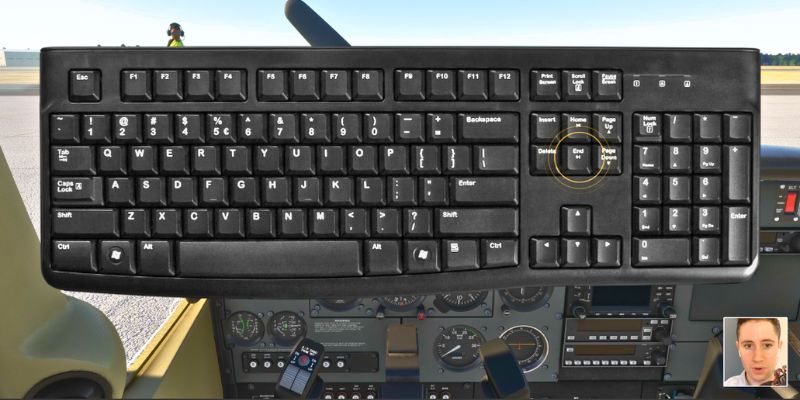
You will learn some MSFS 2020-specific skills like setting up fuel quantities and using keyboard shortcuts.
Bonus items
G1000: Learn the procedural differences in operating a Cessna 172 with the G1000 glass cockpit. You'll explore how changes in the electrical system and the need for redundancy introduce new checklist steps compared to the steam gauge version.

Enhancement add-on: Learn how to install and use a free enhancement pack for the MSFS Cessna 172. It will give you features like realistic checklists, kneeboard charts, sun visors, and many other enhancements.

Which kind of 172?
We use a round dial (steam gauge) Cessna 172S which is built into Microsoft Flight Simulator by default.
The startup procedure and before takeoff checklist for the G1000 (glass cockpit) variant are covered in the bonus section.
For detailed G1000 procedures, we recommend viewing our G1000 Training Course (Intro).
Who is it for?
The course is made for real-world student pilots and enthusiasts who want to fly their simulated Cessna 172 as realistically as possible
What is not covered?
- Preflight inspection (such as the exterior walkaround before the Before Start Engine checklist)
- Flight planning (aside from basic route and altitude selection using SkyVector)
- Navigation procedures
- ATC or CTAF communications
- Emergency procedures
- Detailed autopilot operations
- In-air leaning procedures (on-ground/taxi leaning is covered)
- Knowledge items unrelated to the flight, like aircraft limitations, performance speeds, weight and balance, etc.
What if I use X-Plane or another simulator?
While the recording uses MSFS, the information is still generally applicable for operating any simulated Cessna 172, aside from the section on the C172 Enhancement Pack, simulator flight setup (around 3 min of content), and keyboard shortcuts.
Disclaimer: This course is not a substitute for in-person flight instruction with a qualified instructor. Procedures can differ between different variants and years of Cessna 172 production. Be sure to reference the Airplane Flight Manual (AFM) for your specific variant of Cessna 172 to ensure you are following the most correct, up-to-date procedures for your specific aircraft.
Cessna 172 Intro
An overview of the course and C172 procedures
Welcome4 min
How to find an official Cessna 172 checklist/manual5 min
Navigating the PIM8 min
Full flight tutorial
We will operate the steam gauge Cessna 172 on a short flight from Arlington to Skagit (two airports in Washington State)
Flight planning5 min
Sim Setup3 min
Before Start and Starting Engine15 min
Taxi4 min
▶ Watch free sampleBefore Takeoff Checklist and Takeoff16 min
Climbout and Level Off5 min
Cruise3 min
Descent4 min
Landing3 min
Taxi In and Shutdown3 min
▶ Watch free sampleBonus: Startup and Runup in the G1000 C172
G1000 Intro and Flight Setup4 min
Startup Procedures6 min
Before Takeoff Checklist (Runup)12 min
Bonus: C172 Enhancement Pack
How to install it3 min
Overview of features and test flight5 min
Conclusion
Next steps
Real Reviews From People Who Took It
Excellent course. It does what it says; it teaches you how a real pilot, would fly a real C172, in real life. I'm now flying a C172 around my native UK in MSFS. Using a real-world checklist and procedures makes it even more enjoyable.
Loved the course - very practical and easy to understand for pilots at any level.


